SERP, competitors, and tracking
Keyword data becomes more useful when it is connected to the actual search results. SERP snapshots, competitor overlap, own-domain positions, and tracking history show what is happening beyond the keyword row.
SERP context
Review result features, top-ranking domains, link signals, and result count before trusting volume or difficulty alone.
Competitor overlap
See which domains appear repeatedly across a keyword set and where your domain has gaps or traction.
Tracking over time
Turn one-time keyword rows into position history, movement signals, and campaign monitoring.
When to use SERP data
Use SERP data when the decision depends on the real search environment. Volume, KD, and CPC tell part of the story; the SERP explains what users actually see, which formats dominate, which domains rank, and whether your domain already has traction.
SERP review is especially important for:
- High-value commercial keywords
- Keywords with surprising KD or CPC
- Keywords where your domain ranks near page one
- Lists selected for tracking
- Client exports and reporting
- Competitor gap analysis
- Content refresh candidates
SERP features
SERP features show detected modules such as AI overviews, videos, images, People Also Ask, local packs, shopping modules, and other result types.
Features affect click potential. A keyword can have strong volume but lower organic opportunity if the SERP is crowded with modules that take attention above standard organic results.
Competitor analysis
Competitor analysis summarizes domains that appear across the selected keyword set. It helps answer which competitors are repeatedly visible, which domains own specific topic areas, and where your own domain is missing.
Use competitor analysis to guide questions, not to copy pages blindly. The strongest workflow is:
Current position
Position is your tracked domain's current organic rank for the keyword. Unknown means the system has not fetched or cannot derive a current position for the selected keyword, domain, and market.
Before acting on missing position data, confirm that the tracked domain, market, language, and selected list are correct.
Position change
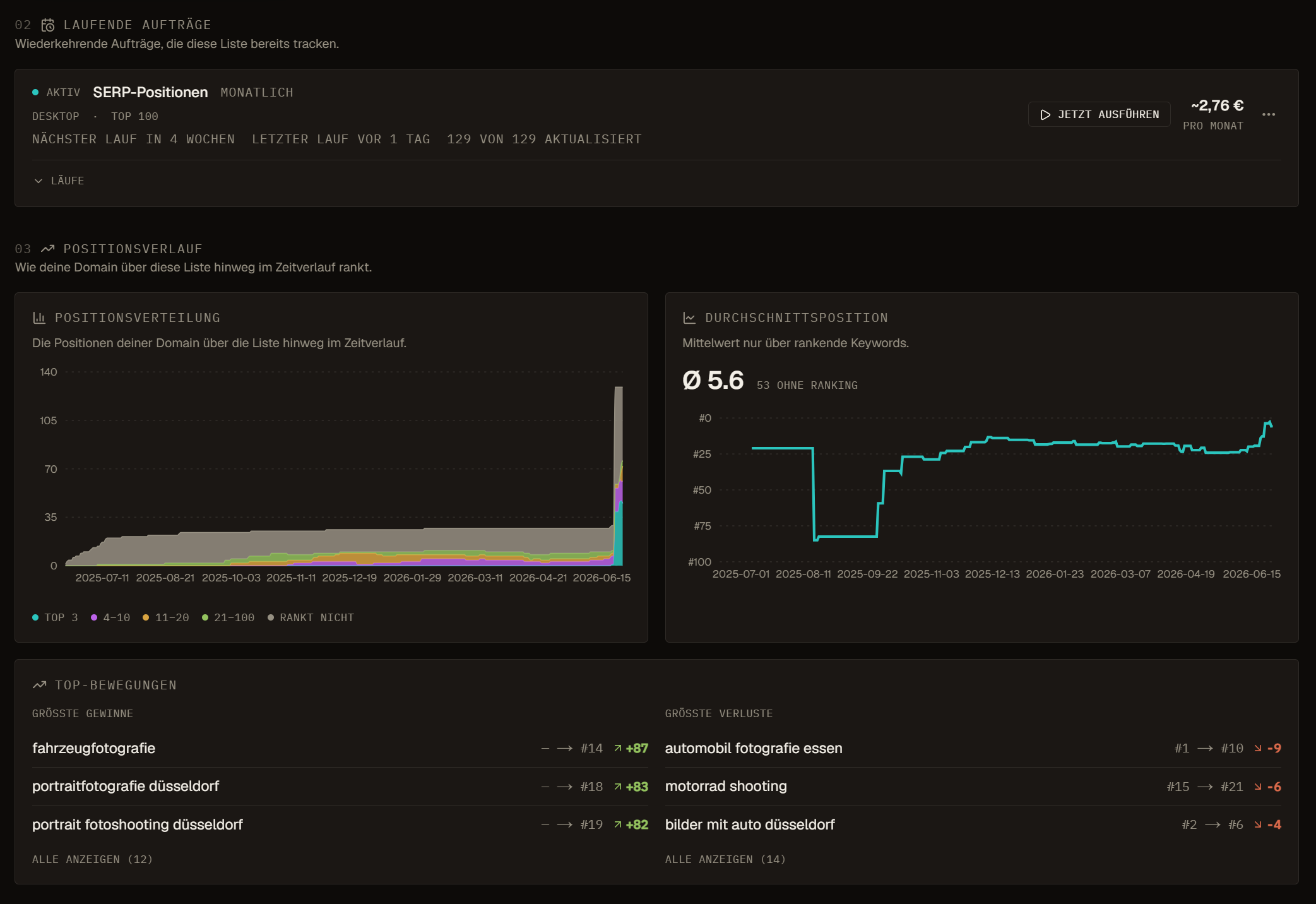
Position change compares the current position with the previous saved point. A positive movement usually means the rank number moved closer to 1. A decline means the rank moved away from 1 or disappeared from the tracked result set.
Check the period and SERP Dynamics before reacting. A volatile SERP can create large short-term changes that do not represent a durable ranking shift.
Position trend
Position trend shows the shape of recent rank movement. Use it to see whether positions are improving, declining, fluctuating, or stable.
Trend is more useful than a single snapshot when evaluating content changes, technical fixes, link campaigns, or competitor movement.
Position history
Position history columns compare current rank with older snapshots such as 3, 6, 9, or 12 months ago. These comparisons are useful for campaign retros, content decay checks, and long-term reporting.
Use long-term deltas to separate durable growth from short-term noise.
Tracking setup
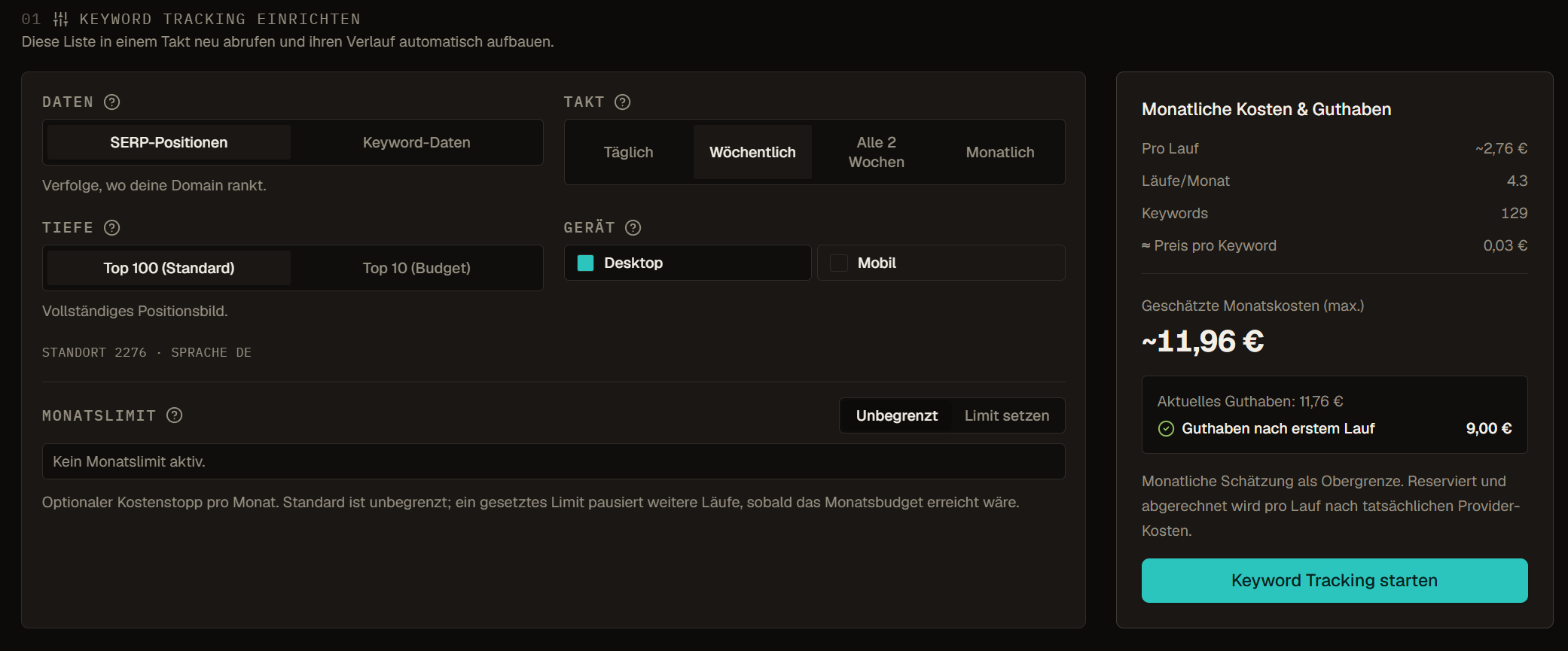
Tracking should be scoped. Do not track every keyword just because it exists. Track keywords that connect to a campaign, a published page, a client report, or an operational review.
Good tracking sets usually have:
- A named list
- A tracked domain
- A market and language
- An owner
- A reason for tracking
- A review cadence
Activity and audit trail
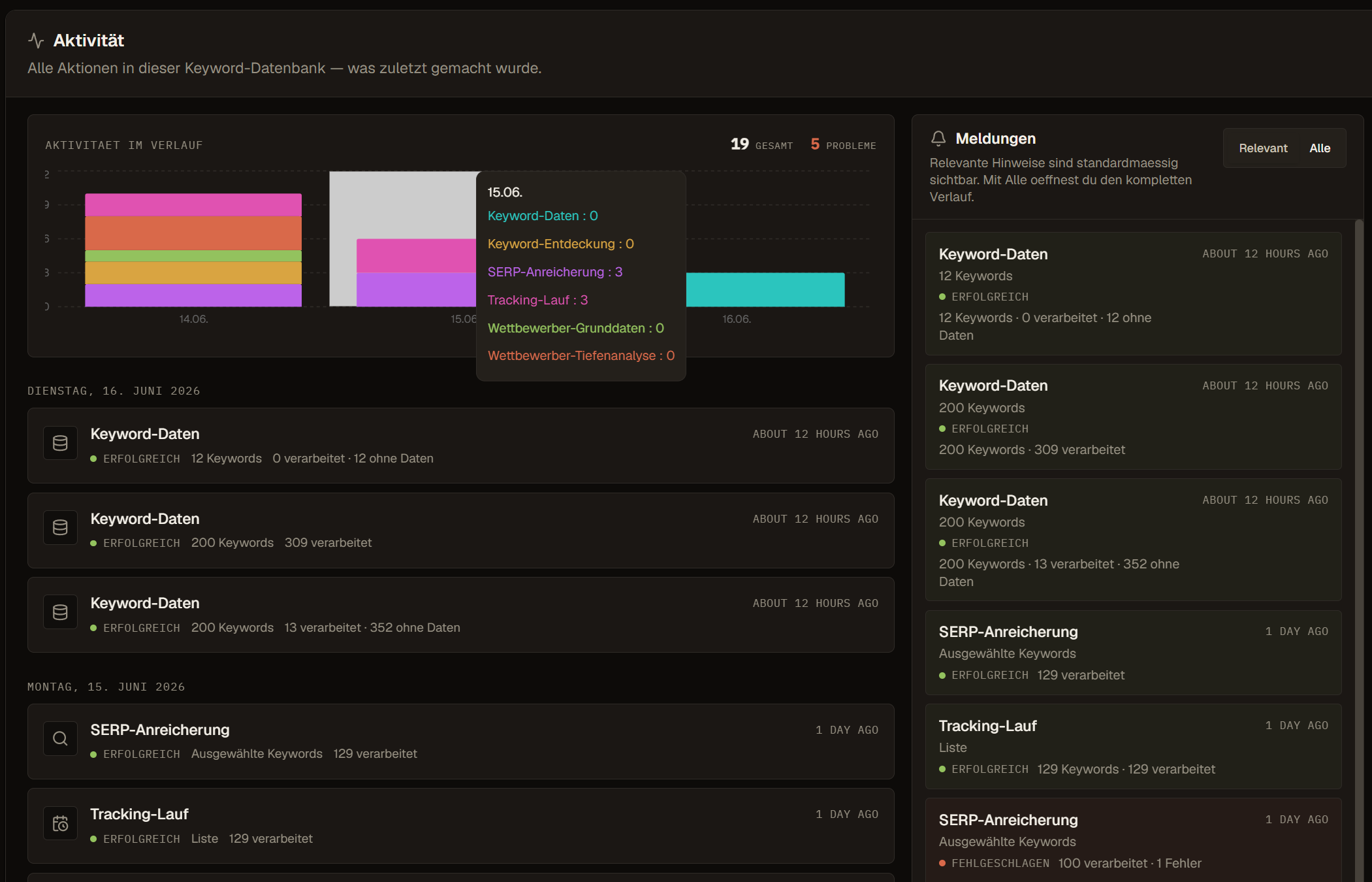
Tracking runs, SERP refreshes, and competitor updates should leave enough history for teams to answer what changed and when. Use Activity when a user asks whether a background job completed or why a value changed.